
Koan 17: The Watchman at the Gate
A look into Python's regex module

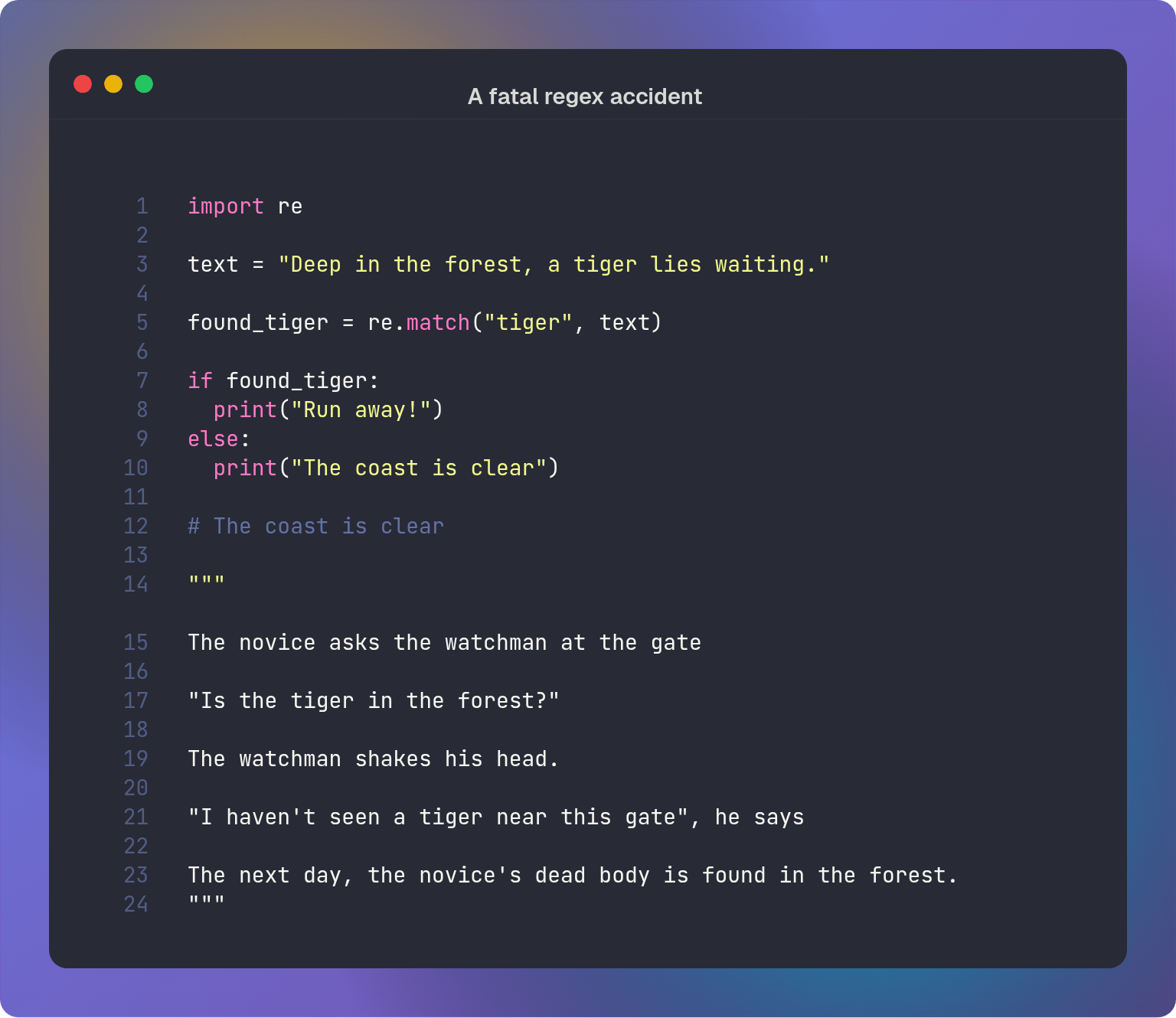
Regex: Searching for the tiger
Python’s `re` module is a robust toolset for writing regular expressions (regex), but its behavior often deviates from other engines. Understanding the nuances of the interpreter and the Unicode standard is essential for writing predictable patterns.
Let us explore the treacherous terrain of the re module.
Part 1: Anchoring: match() vs. search()
A common misconception is that re.match() scans the entire string. In reality, it is implicitly anchored to the start of the string (effectively adding a \A or ^ anchor). If you want to find a pattern anywhere in the input, use re.search() instead.
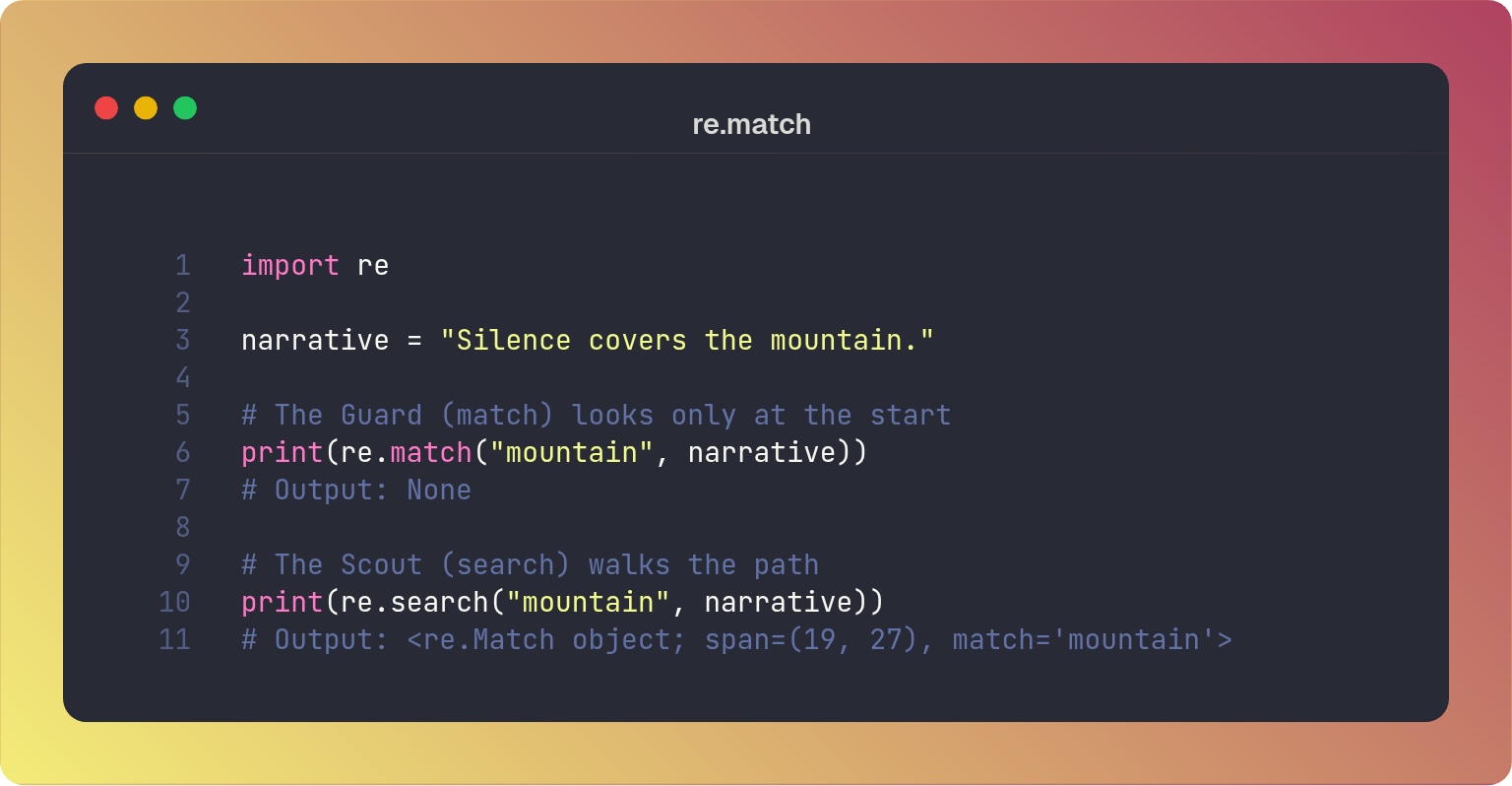
You can think of re.match() like the watchman at the gate, fastidiously inspecting anything coming into the city. If the string you are searching for is not right at the start, he declares it absent.
re.search on the other hand is more like a scout. He wanders through the city looking for that which is hidden. This scans the entire string to find a match.
If you wish to find a pattern that may be hidden deep within the text, you must send the scout (re.search) instead of the guard (re.match).
Part 2: The Map and the Territory (Raw Strings)
Python strings process backslashes (\) as escape sequences before they reach the regex engine. An escape sequence1 is a sequence of characters following a backslash which the Python interpreter treats differently. There are several such strings:
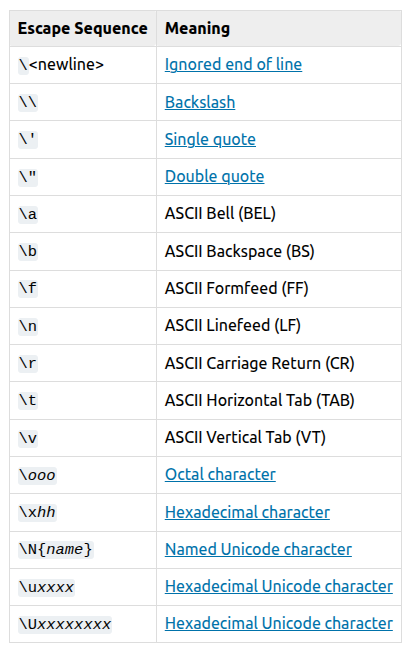
To prevent this, and to match a literal backslash in regex one must create a “plague of backslashes”. For example, to match a literal backslash you would need four backslashes (\\\\)
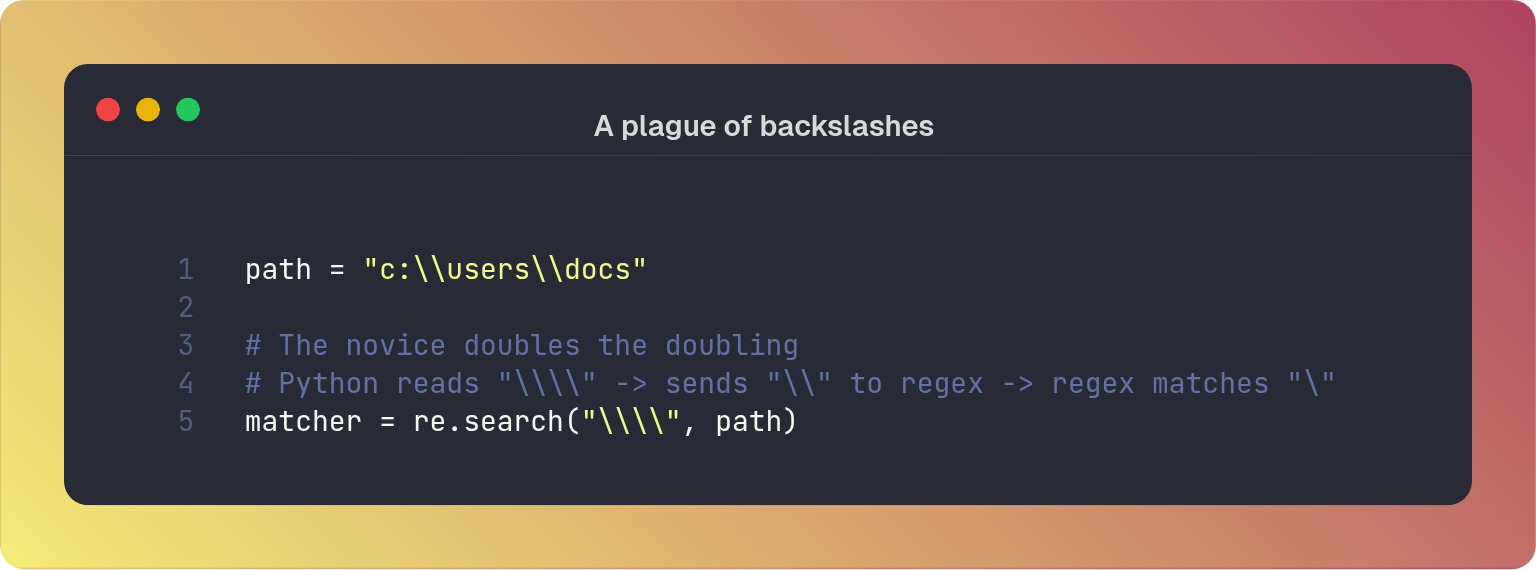
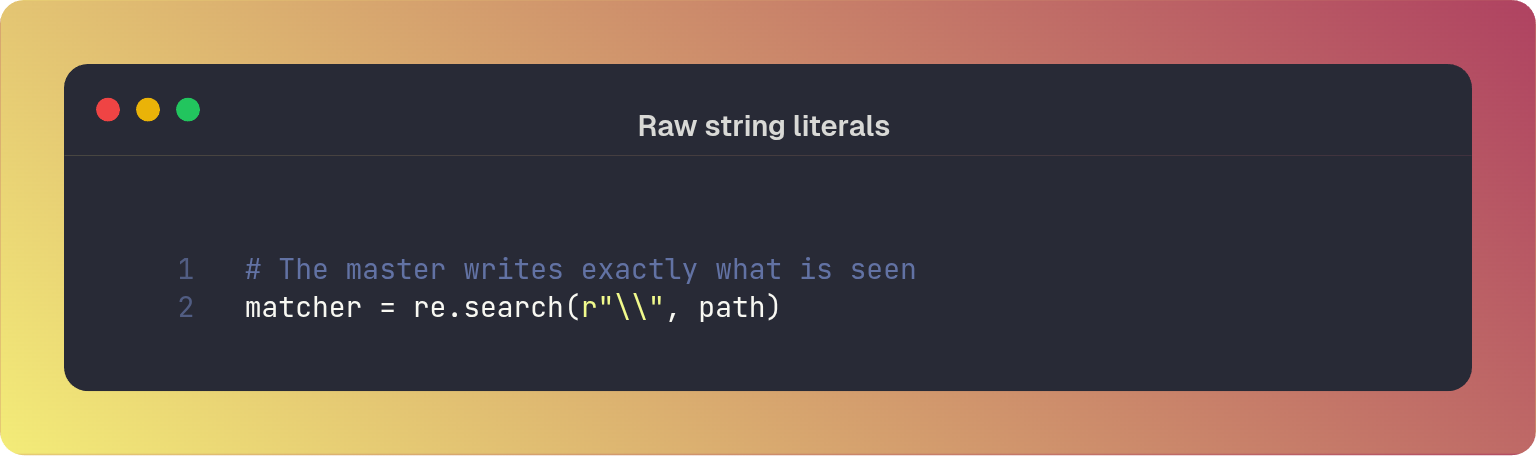
As you can see this is prone to error as you can easily use the wrong number of backslashes. A master uses raw string literals instead2 (r""). This tells Python to ignore the escape sequences and pass the string exactly as written to the regex engine.
Part 3: The Illusion of the End
By default, the $ anchor matches the end of the string or the position immediately preceding a newline at the very end. This is fine most of the time, but sometimes you may want to verify that a string contains no trailing whitespace or newlines:
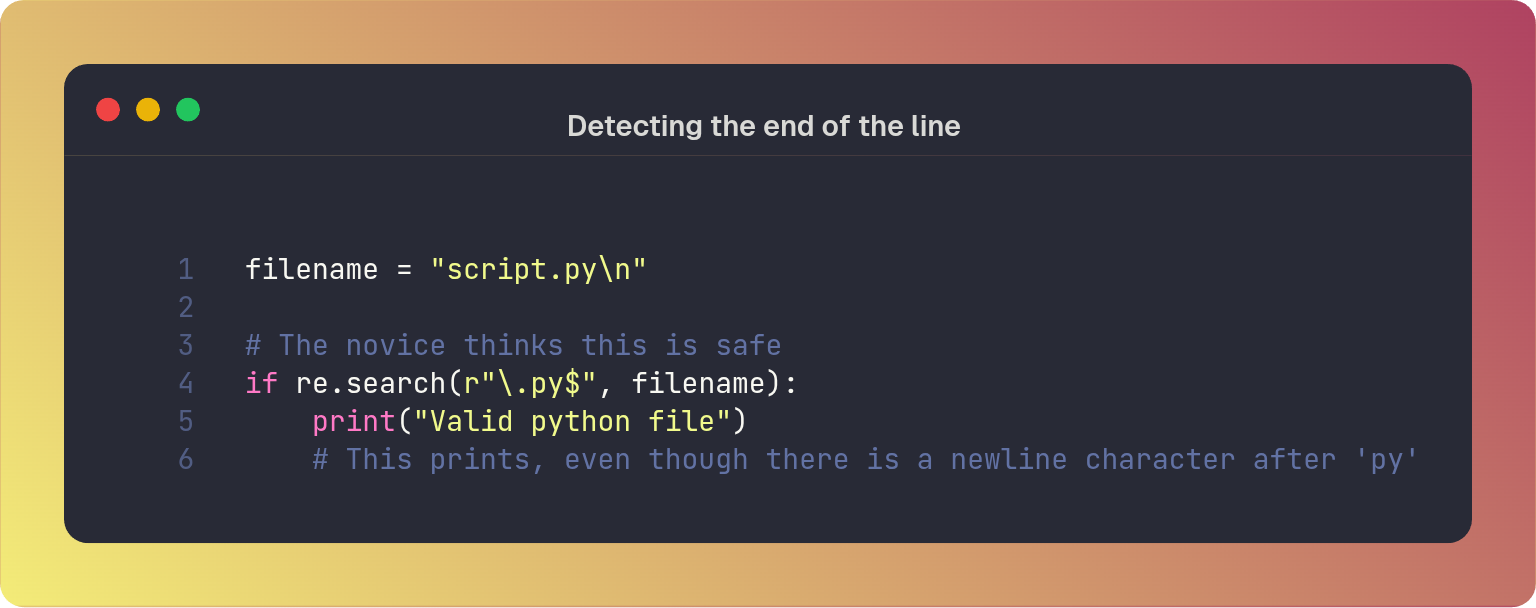
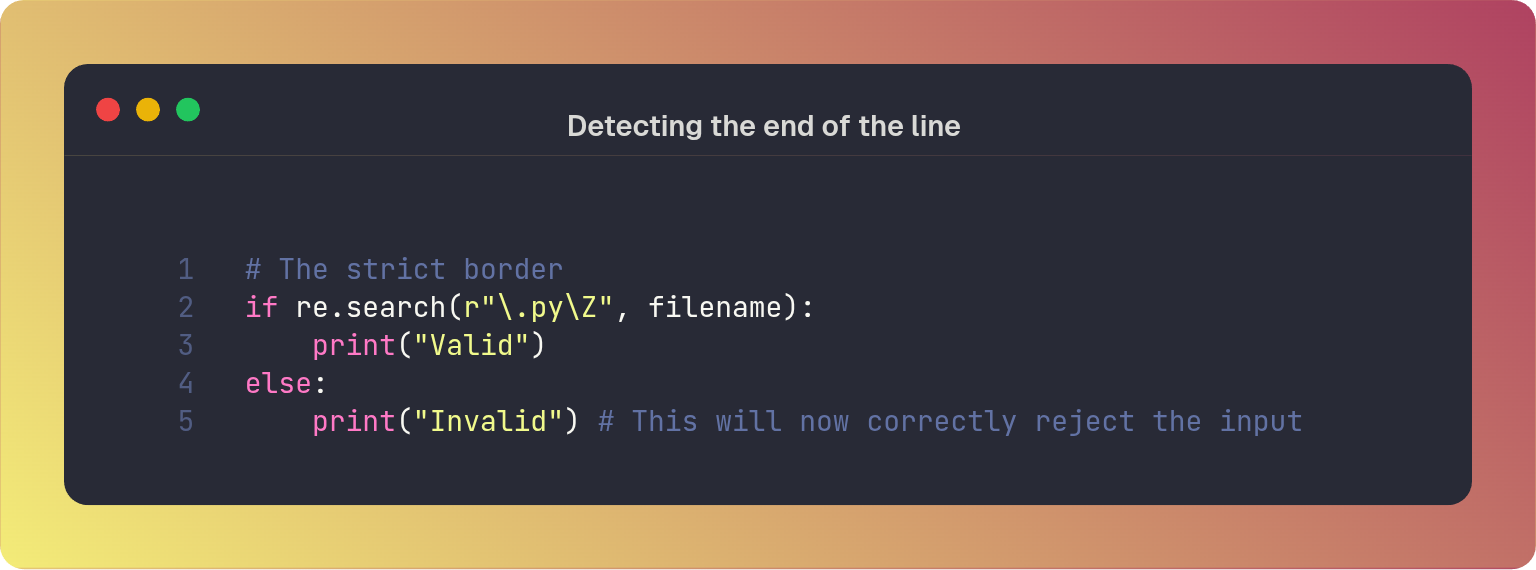
To strictly enforce the absolute end of the string and disregard any trailing newlines, use \Z. This only matches the absolute end of the input.
Part 4: The Thousand Faces of Numbers
In the modern era of Python 3, the definition of the "digit" escape sequence (\d) has expanded beyond the Arabic numerals 0-9.
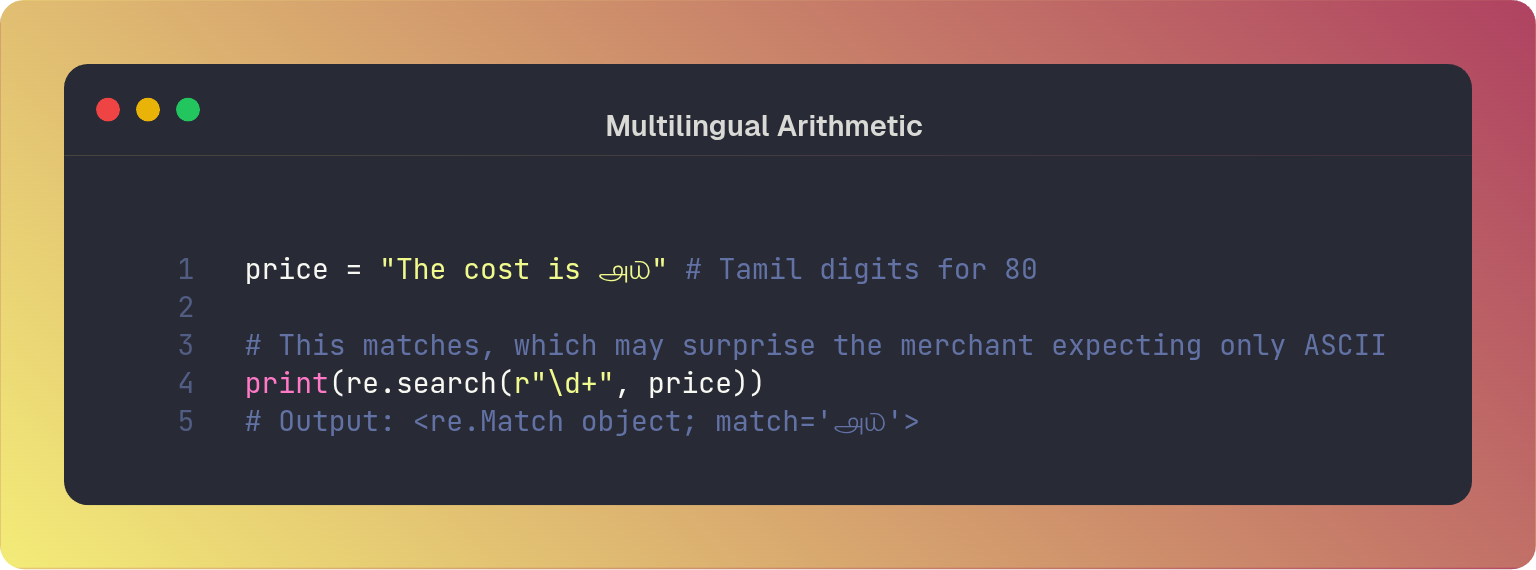
Python 3’s re module is Unicode aware, which means the regex token \d does not just mean the ASCII digits 0–9 anymore. It matches any character that has the Unicode property of Numeric_Type=Decimal.
For example, the Tamil characters ௮ (U+0BEA) and ௰ (U+0BF0) are officially categorized as digits/numbers in the Unicode database.
When a developer writes a regex to extract a price, they might assume \d+ will only return characters that can be easily cast to an integer using standard libraries, or characters they can safely display in an ASCII-only receipt.
You can imagine the chaos that would be caused if a payment system accepts ௮௰ as a valid “number” but the downstream payment processor only understands 80. It might crash or, worse, treat the value as 0 or null, leading to logic errors.
If your logic depends on strictly parsing standard 0-9 integers, you must instruct the engine to ignore the wider world using the re.ASCII flag.
Part 6: The Broken Collection (findall)
The re.findall() method is a powerful tool for gathering all occurrences. However, its changes it’s return type based on the pesence of “capturing groups” (parentheses) in the regex.
If there are no capturing groups, it returns a list of strings. If there is a group, it returns only the contents of that matched group.
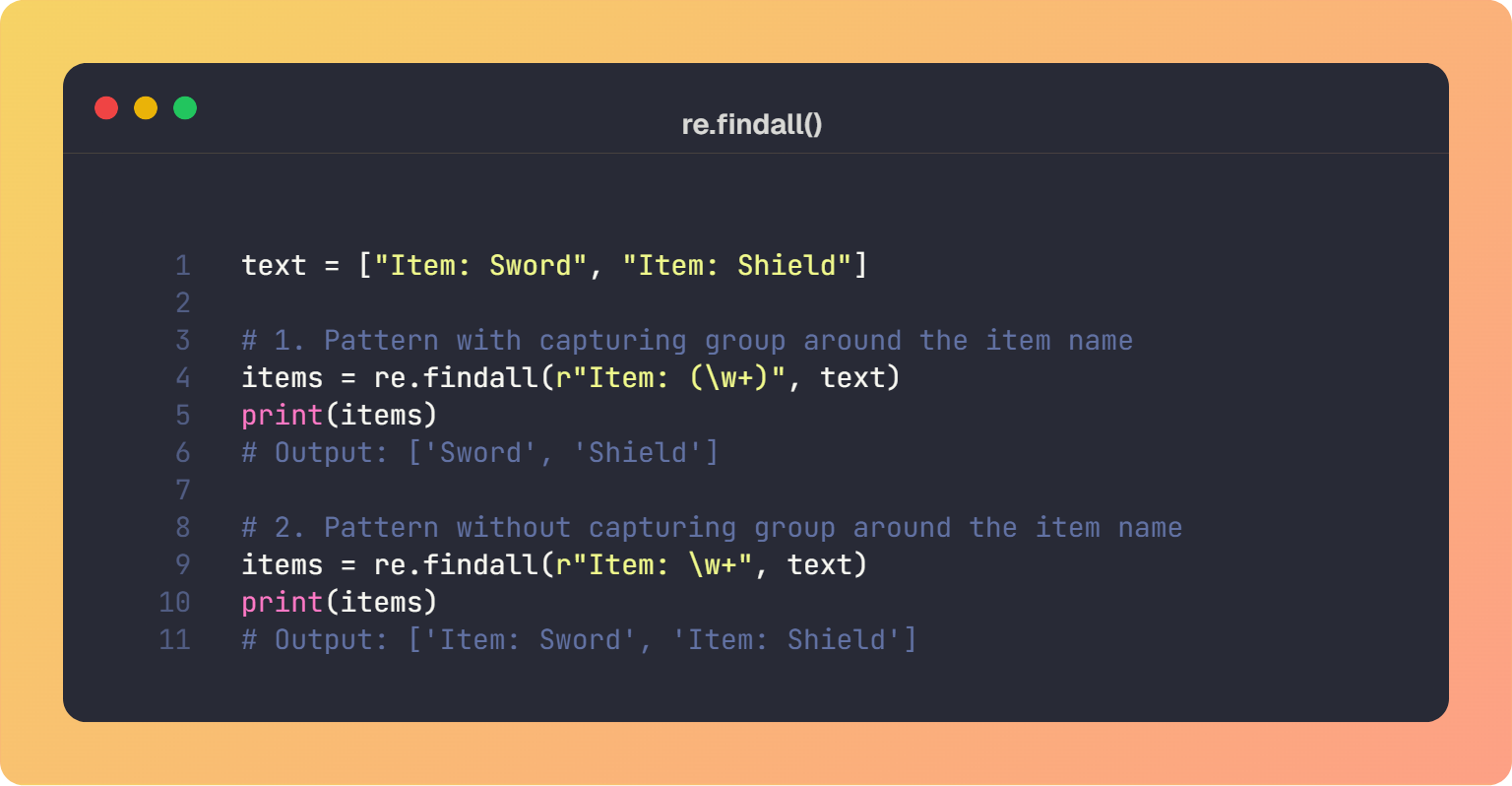
Because of variability in return type, it is not advisable to run re.findall() on a regex you do not know in advance (i.e. from a variable or user input).
If you want to ensure consistent output regardless of pattern structure, use re.finditer().
The Final Pattern
The regex engine is a powerful but tricky feature to master, but the following guidelines can help light your way:
Know when to choose a watchman (
match) or a scout (search)Use raw strings over escaped backslashes.
Know the true boundaries when searching the end of a line (
$vs\Z).Handle Unicode when matching numbers
Prefer
re.finditer()overre.findall()for ensure consistent output regardless of regex
Do not assume the pattern you see in your mind is the pattern you have written on the scroll.
https://docs.python.org/3/reference/lexical_analysis.html#escape-sequences
https://docs.python.org/3/reference/lexical_analysis.html#raw-string-literals
Your last code graphic, is there a typo? I see no difference between the two "re.findall" lines. Both of them have the capturing groups.